
Kurzfassung
Bei lokaler KI ist VRAM die eine Zahl, die entscheidet, ob ein Modell überhaupt geladen wird - noch bevor Geschwindigkeit eine Rolle spielt. Die RTX 3090 bietet 24GB GDDR6X zu etwa dem halben Preis der 4090, die dieselben 24GB hat. Für den Großteil der lokalen Arbeit - 32B-Modelle, RAG, Code-Assist - reicht eine einzelne 3090 mehr als aus. Und zwei Karten bündeln 48GB, was Llama-3.x-70B bei 4-Bit-Quantisierung freischaltet - etwas, das keine einzelne Consumer-Karte (auch nicht die 5090 mit 32GB) kann. Unter allem liegt CUDA: fast zwei Jahrzehnte Ökosystem, die NVIDIA nach wie vor zur reibungsärmeren Wahl machen, auch wenn der Abstand zu AMD ROCm inzwischen schrumpft. Dieser Artikel behandelt die reale VRAM-Mathematik, die Quantisierung, den KV-Cache und die Reife der Software.
VRAM ist alles (der Rest ist Geschwindigkeit)
Bei der Inferenz großer Sprachmodelle lautet die erste Frage nicht „wie schnell", sondern „passt es überhaupt". Es gibt zwei Gründe, warum der Speicher schwerer wiegt als die reine Rechenleistung.
Erstens muss das Modell physisch in den Speicher der Karte passen. Passen die Gewichte nicht in den VRAM, lagern Sie entweder Schichten in den System-RAM aus (zigfach langsamer) oder das Modell startet schlicht nicht. Es gibt keinen „etwas langsamer"-Ausweg - entweder es passt oder nicht.
Zweitens ist die Token-Generierung memory-bandwidth-bound, nicht compute-bound. Beim autoregressiven Decoding müssen für jedes neue Token alle Gewichte des Modells aus dem VRAM gelesen werden. Das bedeutet, dass die Generierungsgeschwindigkeit (Tokens/s) hauptsächlich von der Speicherbandbreite bestimmt wird, nicht von der Anzahl der CUDA-Kerne. Deshalb liefert eine Karte mit enormer Rechenleistung, aber bescheidener Bandbreite keine proportional schnellere Generierung - und deshalb sind die Bandbreitenunterschiede zwischen Ampere und Ada kleiner, als die Marketing-Folien nahelegen.
Wie viel VRAM ein Modell verschlingt
Die grobe Rechnung ist einfach: Gewichte + KV-Cache. Bei 4-Bit-Quantisierung (Q4_K_M GGUF - der De-facto-Standard für lokales Deployment) belegen die Gewichte etwas über ein halbes Byte pro Parameter (Q4_K_M ist eine gemischt-präzise K-Quantisierung mit durchschnittlich ~4,5-4,8 Bit/Parameter, also ~0,55-0,6 Byte; ~0,5 Byte ist eine grobe Untergrenze):
- 7-8B-Modell: ~5-6GB Gewichte. Läuft auf so gut wie allem.
- 32B-Modell: ~18-20GB Gewichte + KV-Cache. Passt bequem in 24GB.
- 70B-Modell: ~40-43GB Gewichte + KV-Cache. Passt weder in 24GB noch in 32GB. Sie brauchen ~48GB.
Der Vollständigkeit halber: ein 70B bei FP16 (16-Bit, ~2 Byte pro Parameter) sind allein ~140GB Gewichte. Das passt auf keine Consumer-Karte, nicht einmal auf 2×24GB - es braucht ein Rechenzentrum mit 2×80GB (A100/H100).
Auf die Gewichte kommt der KV-Cache - der Speicher, der die Keys und Values des Attention-Mechanismus für bereits verarbeitete Tokens vorhält. Bei einem 70B mit 4K-Kontext liegt der KV-Cache in der Größenordnung von 1,5-2GB (bei FP16-KV), wächst aber linear mit dem Kontext: bei 128K kann er zweistellige GB-Werte erreichen. Der KV-Cache lässt sich ebenfalls quantisieren (z. B. auf 8-Bit), was ihn ungefähr halbiert - ein entscheidender Kniff, wenn Sie um jedes Gigabyte kämpfen.
Eine wichtige Klarstellung, weil es oft verwechselt wird: ein 32B-Modell benötigt keine 48GB. Qwen2.5-32B, Qwen2.5-Coder-32B und das neuere Qwen3-32B passen bei Q4_K_M bequem in eine einzelne 24GB-Karte, mit Platz für eine ordentliche Menge Kontext. Gerade die 32B-Klasse macht eine einzelne 3090 für sich genommen lohnenswert. Erst der 70B verlangt eine Doppelkonfiguration.
Vergleich: 3090 vs. 3090 Ti vs. 4090 vs. 5090
Alle drei High-End-Karten aus Ampere/Ada - 3090, 3090 Ti und 4090 - tragen dieselben 24GB. Erst die 5090 springt auf 32GB. Das ist die entscheidende Tatsache: für lokale KI laden 3090 und 4090 exakt dieselben Modelle, weil sie identische Speicherkapazität haben.
| Karte | VRAM | Bandbreite | CUDA-Kerne | Rel. Tempo (Generierung) | Preisklasse | 70B @ 4-Bit allein? |
|---|---|---|---|---|---|---|
| RTX 3090 | 24GB GDDR6X | ~936 GB/s | 10.496 | Basis (1,0×) | am günstigsten (gebraucht) | Nein (~40GB > 24GB) |
| RTX 3090 Ti | 24GB GDDR6X | ~1008 GB/s | 10.752 | +5-10% | ~300€ über 3090 | Nein |
| RTX 4090 | 24GB GDDR6X | ~1008 GB/s | 16.384 | +20-40% (je nach Last) | ~2× der 3090 | Nein |
| RTX 5090 | 32GB GDDR7 | ~1792 GB/s | 21.760 | am höchsten | 4000€+ | Nein (32GB < ~40GB) |
Einige Anmerkungen zur Tabelle:
- 3090 Ti ist ehrlicherweise 5-10% schneller als die 3090 (1008 vs. 936 GB/s Bandbreite, ~2% mehr Kerne). Ein realer, aber für die tägliche Arbeit kaum spürbarer Unterschied für ~300€ mehr.
- 4090 hat dramatisch mehr Rechenleistung (16.384 vs. 10.496 Kerne), doch die Bandbreite ist nur ~8% höher (1008 vs. 936 GB/s). Für die bandbreitengebundene Generierung liegt der reale Vorsprung daher eher bei ~20-40% je nach Last - nicht bei festen „+40%". Beim Prompt Processing (der compute-gebundenen Phase) ist der Unterschied größer, bei langer Generierung kleiner. Zum doppelten Preis und mit denselben 24GB lädt die 4090 kein einziges Modell mehr als die 3090.
- 5090 hat tatsächlich enorme Bandbreite (~1792 GB/s, GDDR7, 512-Bit-Bus) und generiert merklich schneller. Doch 32GB reichen weiterhin nicht an die ~40GB heran, die ein 70B @ Q4_K_M braucht. Nur ein aggressiver, qualitativ schwächerer Quant (IQ3/Q3, ~30-34GB) ist grenzwertig - mit Qualitätseinbußen. Sie zahlen das 4-Fache und mehr für 8GB extra, die nicht die nächste Modellklasse freischalten.
Die echte Rechnung: 2× RTX 3090 = 48GB
Hier liegt der Kern. Llama-3.x-70B bei Q4_K_M will allein für die Gewichte ~40-43GB. Das passt in keine einzelne Consumer-Karte - weder 24GB (3090/4090) noch 32GB (5090).
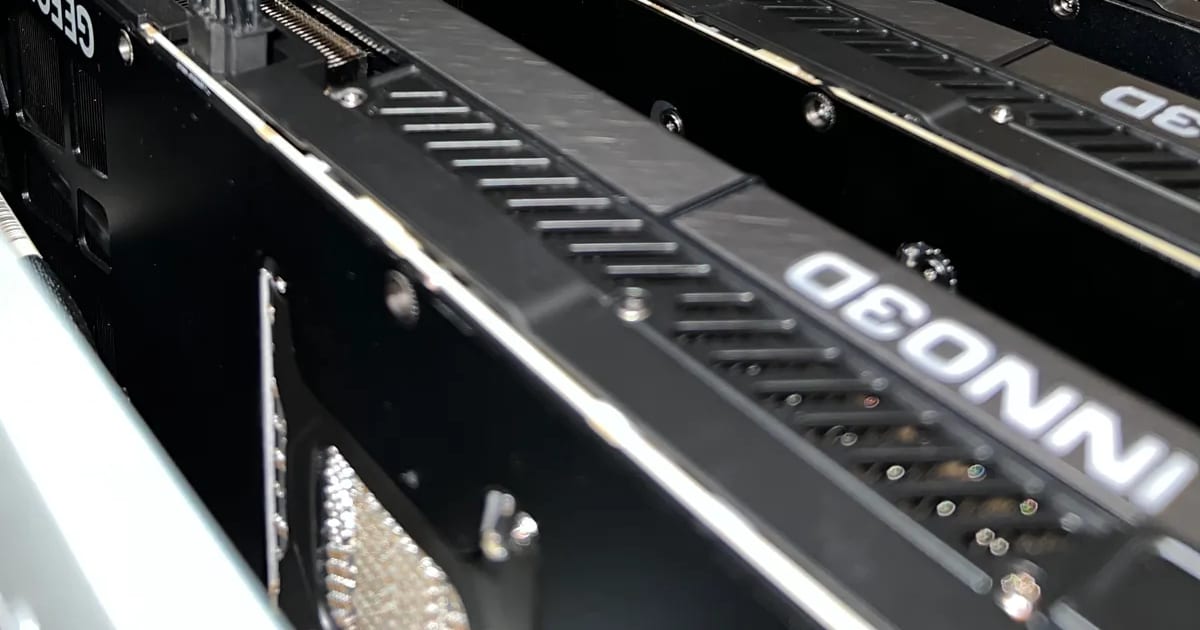
Aber 48GB (2×24GB, z. B. 2× RTX 3090) fassen es: ~40GB Gewichte + KV-Cache + Overhead passen bequem in 48GB mit nutzbarem Kontext von 8K-32K, besonders mit quantisiertem KV-Cache. Das ist das Standard-Rezept der Community für einen lokalen 70B - keine Exotik, sondern ein erprobter Ansatz. Eng wird es nur bei sehr langem Kontext (64K+), wo Sie entweder den Kontext reduzieren oder den KV-Cache aggressiv quantisieren.
Die Ökonomie ist gnadenlos: zwei RTX 3090 kosten oft so viel wie eine einzelne RTX 4090 und geben Ihnen doppelt so viel VRAM. Mit einer 4090 haben Sie eine schnellere Einzelkarte, aber dieselben 24GB - Sie können also nichts laden, was eine 3090 nicht kann. Mit 2× 3090 schalten Sie eine ganze Modellklasse (70B) frei, die für jede einzelne Consumer-Karte außer Reichweite ist. Es geht nicht um Geschwindigkeit - es geht darum, welche Modelle überhaupt ins Spiel kommen.
Wenn Sie einen solchen Aufbau dimensionieren und die Rendite gegenüber der Miete von Cloud-GPUs berechnen möchten, vergleicht unser GPU-ROI-Rechner Capex gegen Stundenmiete - Strom, Abschreibung und Kosten pro Stunde.
Warum nicht AMD?
AMD gibt mehr VRAM pro Euro - das ist eine Tatsache. Das Problem war nie die Hardware, sondern die Software, und 2026 ist das Bild differenzierter als vor zwei Jahren.
Das gesamte KI-Ökosystem wurde historisch um CUDA herum aufgebaut. CUDA erschien offiziell 2007 - hat also bis 2026 fast zwei Jahrzehnte Reife: cuDNN, cuBLAS, tiefgreifendes Tooling und nahezu universelle Framework-Unterstützung. PyTorch, TensorFlow, JAX und Hugging Face sind standardmäßig CUDA-nativ (wenn auch nicht CUDA-exklusiv - PyTorch hat einen funktionierenden ROCm-Build, und TF/JAX zielen auch auf TPU). Dieser Vorsprung ist der eigentliche „Burggraben" um NVIDIA.
Aber ROCm 6.x ist nicht mehr kaputt. Auf gleichwertigen Consumer-Karten (RX 7900 XTX 24GB vs. RTX 4090 24GB) liefert ROCm in llama.cpp/Ollama in der Größenordnung von 75-85% der CUDA-Leistung. Für speichergebundene große Modelle und High-Batch-Serving (vLLM, Batch 64-128) schrumpft der Abstand auf ~5-10%. In der Rechenzentrumsklasse hängen die Ergebnisse stark von Workload und Batch ab - vom Rückstand bei typischer Inferenz bis zu ungefährer Parität bei sehr großen, speichergebundenen Modellen; es gibt keine einzelne belastbare Zahl.
Der verbleibende Abstand ist überwiegend eine Frage von Software und Reife, kein fester Hardware-Nachteil:
- schwächere Windows-Unterstützung;
- unvollständigere Framework- und Kernel-Abdeckung;
- mehr Reibung beim Setup.
Es gibt auch Abhilfen: das Vulkan-Backend ist ein einfacher Weg unter Windows, und auf RDNA4 (RX 9070 XT) kann Vulkan sogar AMDs eigenes ROCm übertreffen.
Das Fazit für 2026: NVIDIA/CUDA bleibt der sicherere, risikoärmere Standard für lokale LLM-Arbeit - weniger Reibung, mehr Gewissheit, dass alles „einfach läuft". Vermeiden Sie aber die absolute Behauptung, AMD sei „20-40% langsamer" - es ist eine schrumpfende, workload-abhängige Lücke bei der Software-Unterstützung, keine Hardware-Wand. Wenn Ihnen Ihre Zeit mehr wert ist als Geld - NVIDIA. Wenn Sie die Geduld fürs Setup haben und VRAM/€ jagen - AMD ist inzwischen eine vertretbare Option.
Wann es sinnvoll ist, nicht zu sparen
Die 3090 ist der vernünftige Standard, aber nicht die universelle Antwort. Es gibt Szenarien, in denen der Aufpreis gerechtfertigt ist:
- RTX 4090 / 5090 - wenn die Geschwindigkeit der Engpass ist, nicht die Kapazität: schnelles Prompt Processing, Echtzeitanwendungen, viele gleichzeitige Anfragen, häufige Fine-Tune-Experimente. Sie zahlen für Rechenleistung, nicht für Kapazität. Die 5090 ergibt auch wegen ihrer GDDR7-Bandbreite und 32GB Sinn, wenn Sie innerhalb dieser Grenzen arbeiten.
- RTX PRO 6000 (Blackwell) - wenn Sie 96GB auf einer einzelnen Karte brauchen, ohne die Komplexität eines Multi-GPU-Splits: große Modelle, langer Kontext, höhere Zuverlässigkeit für die Produktion.
- H200 / Rechenzentrumsklasse - wenn Sie einen 70B in vollem FP16 wollen (die Gewichte allein sind ~140GB; Sie brauchen 2×80GB A100/H100), ernsthaften Durchsatz für viele Nutzer, größere Modelle in höherem Quant oder Anforderungen an Zuverlässigkeit und Garantie, die ein Heim-3090-Aufbau nicht abdeckt.
- SEV-SNP Confidential Compute - wenn die Daten reguliert oder sensibel sind und selbst während der Ausführung im Speicher verschlüsselt sein müssen.
Die einfache Regel: 3090 für Kapazität mit Budget; 4090/5090 für Geschwindigkeit; PRO 6000/H200 für Produktion, Skalierung und Compliance.
Aura Digital plant und montiert genau solche Maschinen nach Vorgabe - von doppelten 3090 für ein lokales Labor bis zu SEV-SNP-Confidential-Compute-Servern mit RTX PRO 6000 / H200 und bis zu 5 Jahren Garantie. Wenn Sie abwägen, ob Sie in eigene Hardware statt in die Cloud investieren, werfen Sie einen Blick auf unsere Leistung GPU- & KI-Infrastruktur.
Fazit
Für ernsthafte, aber budgetbewusste lokale KI-Arbeit ist die RTX 3090 aus einem einfachen Grund der logischste Einstiegspunkt: sie bietet die maximale Consumer-VRAM-Kapazität (24GB) zum niedrigsten Preis. Eine einzelne 3090 deckt 7B-32B-Modelle, RAG und Code-Assist ohne Kompromisse ab, inklusive eines ernstzunehmenden diskreten 32B-Coding-/Reasoning-Modells (Qwen2.5/Qwen3-32B). Zwei 3090 = 48GB schalten Llama-70B bei 4-Bit frei, was keine einzelne Consumer-Karte - weder die 4090 noch die 5090 - kann, zu geringeren Gesamtkosten. Sie zahlen für das, was tatsächlich Modelle freischaltet (VRAM), nicht für Marketing-Zahlen. Und wenn Sie zu Produktion, größeren Modellen und Garantie gelangen - dann kommt die Klasse PRO 6000 / H200 ins Spiel.
Wenn Sie lokale KI-Hardware planen und einen Aufbau möchten, der für genau die Modelle dimensioniert ist, die Sie betreiben werden - ohne für VRAM zu viel zu zahlen, das Sie nicht spüren werden - kontaktieren Sie uns für eine kostenlose Beratung. Wir helfen Ihnen, zwischen einer einzelnen 3090, einem Dual-GPU-Knoten oder professioneller Klasse zu wählen - nach Ihren Modellen, Ihrem Kontext und Budget.