
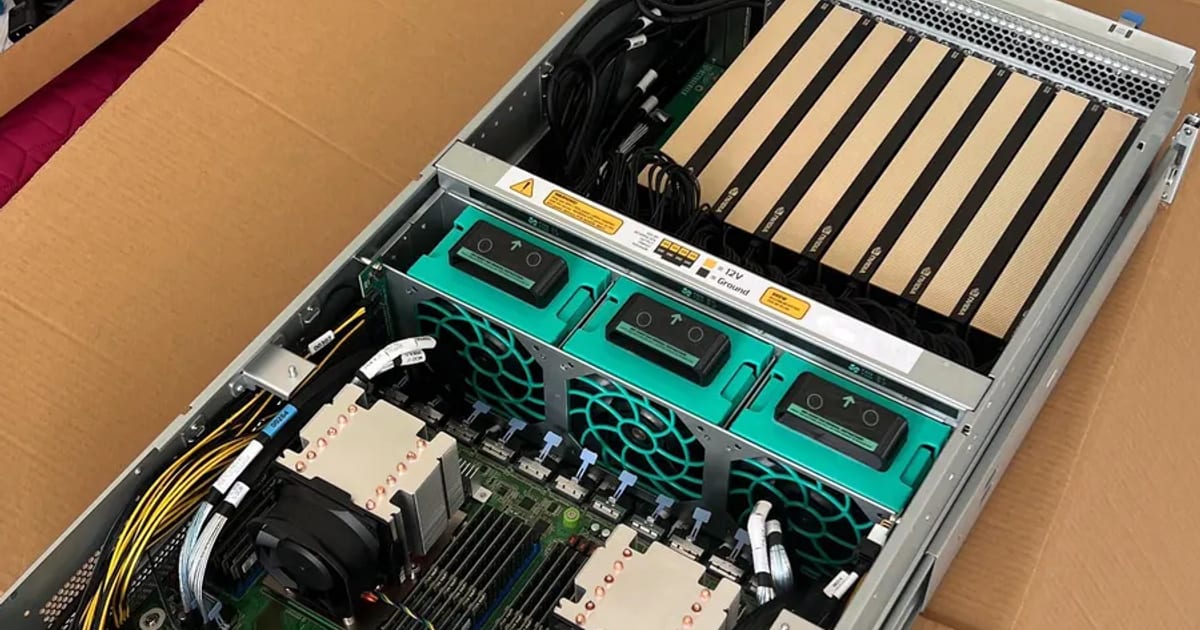
Every team that starts training or serving models hits the same fork: rent GPU time by the hour, or buy the hardware. The honest answer is not a preference. It is a single number – how many hours per month you will actually keep the GPUs busy – and the arithmetic below tells you which side of the line you are on.
This article uses market data rather than illustrative figures. The rental prices are weekly medians across the providers in GetDeploying's open dataset (licence CC BY 4.0). The tables refresh every week; the figures quoted in the text are from the week of 5–11 October 2026. The electricity numbers are worked out to the kilowatt-hour so you can substitute your own tariff.
The short version
Renting wins when your usage is spiky, exploratory, or below roughly a third of the month. Owning wins when a machine would run most of the time, and the gap widens fast after that.
But there is a second finding that surprised us when we first laid the prices side by side, and it changes how you should shop for rented capacity. More on that below.
Which one fits you
For exploration, a pilot or under a third of the month
Rent
You pay only for the hours, with no commitment. Capacity scales in minutes. The price of the same card varies many times over between providers, so check the provider.
If the machine would run most of the month
Buy
With data-center cards, every month of real load pays off a serious part of the hardware. Your data never leaves premises you control.
If you buy but the machine will have spare hours
Own the machine and rent out the idle time
The payback then also depends on what the machine earns while you don't need it. Private lease of an 8× RTX PRO 6000 server: from $1.70 per GPU-hour.
If you don't yet know how many hours you'll use
Rent now, buy later
The rented months give you the number that decides. You buy once the machine would clearly be busy.
What renting actually costs right now
Median on-demand rates across providers, with the cheapest and dearest listing for the same card:
| GPU | Median $/h | Spread | Cheapest | Dearest | VRAM | Power | Providers |
|---|---|---|---|---|---|---|---|
| B200 | 7.99 | 3.8× | 3.75 | 14.24 | 180 GB | 1000 W | 20 |
| H200 | 4.88 | 6.6× | 2.09 | 13.78 | 141 GB | 700 W | 34 |
| H100 | 3.50 | 7.2× | 1.71 | 12.29 | 80 GB | 700 W | 40 |
| RTX PRO 6000 | 2.27 | 12.8× | 0.65 | 8.29 | 96 GB | 600 W | 41 |
| A100 | 1.81 | 9.3× | 0.89 | 8.27 | 80 GB | 300 W | 40 |
| L40S | 1.60 | 13.8× | 0.55 | 7.58 | 48 GB | 350 W | 32 |
| RTX 5090 | 0.72 | 7.2× | 0.35 | 2.52 | 32 GB | 575 W | 16 |
| RTX 4090 | 0.47 | 6.7× | 0.33 | 2.22 | 24 GB | 450 W | 15 |
| RTX 3090 | 0.23 | 4.9× | 0.10 | 0.49 | 24 GB | 350 W | 7 |
Source: GetDeploying, GPU rental price history (CC BY 4.0), on-demand, week of 12–18 October 2026. Median across providers (each provider counts once); cheapest and dearest are single listings. Advertised prices, USD per GPU-hour. The selection of cards is ours.
What these rates are, and what they are not
One caveat before you use the numbers above, because it changes the conclusion for some readers.
Those are medians across every provider GetDeploying tracks – hyperscalers, GPU clouds and marketplaces, each counted once. They are not what a hyperscaler charges. Compare like for like:
| 1× GPU, on-demand | Median across providers | AWS on-demand | Ratio |
|---|---|---|---|
| B200 | $6.79/h | $14.24/h | 2.1× |
| H100 | $3.49/h | $6.88/h | 2.0× |
| A100 | $1.85/h | $4.10/h | 2.2× |
Median: GetDeploying (CC BY 4.0), week of 5–11 October 2026. AWS list prices, us-east-1, divided by GPU count: p6-b200.48xlarge $113.93/h, p5.48xlarge $55.04/h, p4d.24xlarge $32.77/h. Checked August 2026 – AWS raised GPU instance prices in July, so treat these as a moving target.
So a hyperscaler costs about twice the median across providers for the same silicon, and several times the cheapest listing. You are not paying that for the GPU – you are paying for an SLA, enterprise support, compliance paperwork, redundancy and someone to sue. For regulated workloads that premium is not optional, and for a bank or a hospital the marketplace is not a candidate at all.
Which way does this cut? In favour of owning. Every comparison in this article uses the median across providers, so if your realistic alternative is AWS, the case for your own hardware is about twice as strong as the arithmetic below suggests. If your alternative is the cheapest marketplace host, it is weaker – the break-even section gives both cases.
AWS publishes no per-GPU list price for the H200 or L40S, which is why they are absent above. The larger point is the one that does not fit in a table: the consumer cards in this article have no hyperscaler equivalent at all – the 4090, 5090 and 3090 are not rented by AWS or Azure in any form. (The RTX PRO 6000 now is: Azure lists virtual machines with the RTX PRO 6000 Blackwell Server Edition, checked 18 October 2026.) If your workload fits on a 4090 or a 5090, the hyperscaler comparison does not exist – your choice is a GPU cloud, a marketplace or ownership, and that is precisely why these marketplaces have a business.
The finding: which offer beats which GPU
Look at the spread column rather than the price.
In the week of 5–11 October an RTX PRO 6000 cost between $0.65 and $8.29 an hour depending on whose machine you rent – a 12.8× range for the same card. The A100 ranged 22×, although the dataset does not split its 40 GB and 80 GB versions. Meanwhile the medians of the H100 and the H200 are only 1.3× apart.
In other words: which offer you pick matters more than which GPU you pick. The dearest RTX 4090 listing ($2.22) costs more than the median A100 ($1.85) and five times the median 4090.
The spread also tells you where a listing comes from. GetDeploying's own notes say the cheapest prices are often a marketplace host, a small configuration or a promotional rate. The big clouds' list prices sit far above the median: AWS's H100, at $6.88 per card, is twice it. Neither end is "the" market price – which is why the table leads with the median, and why the cheapest column deserves suspicion before it gets your job.
If you are going to rent, budget time for vetting hosts, not just for the hours. We wrote up what to check before trusting a rented machine separately.
The cost everybody forgets: electricity
The ownership column is never just the hardware. Here is the arithmetic, at €0.18/kWh – a business tariff figure you should replace with your own – for a single card running around the clock:
| GPU | Draw | kWh/month | Electricity, 1 card |
|---|---|---|---|
| RTX PRO 6000 | 600 W | 438 | €79 |
| H100 | 700 W | 511 | €92 |
| RTX 5090 | 575 W | 420 | €76 |
Then multiply by roughly 1.5 for power-supply losses, cooling, and the CPUs, RAM and drives around the cards. An eight-GPU box therefore costs in the region of €900–1,100 a month to run before anyone touches the capital cost.
That sounds like a lot until you put it next to the rental column:
| 8× GPU, 24/7 | Rent | Own (power only) |
|---|---|---|
| RTX PRO 6000 | $13,228/mo | ~€946/mo |
| H100 | $20,440/mo | ~€1,104/mo |
| RTX 5090 | $4,205/mo | ~€907/mo |
The nuance in that table
The three rows behave completely differently, and this is the part most comparisons miss.
For datacentre cards, ownership is not close. In the week of 5–11 October, renting eight H100s around the clock at the median cost about sixteen times what the electricity does. Every month of genuine 24/7 use retires a large chunk of the hardware cost.
For consumer-class cards, the gap narrows sharply. Eight rented 5090s cost about four times their own electricity – so the payback period stretches, and renting stays defensible far longer.
The reason is simple: rental pricing for consumer cards is fiercely competitive because the supply is enormous. Datacentre capacity is scarcer and priced accordingly. If your workload fits on consumer VRAM, renting is a stronger option than the usual advice suggests.
The break-even formula
Compare like with like – cost per productive GPU-hour:
rented = rate/hour × hours used
owned = (hardware ÷ months of life) + power + hosting + maintenance
break-even = hardware cost ÷ (monthly rental − monthly running cost)
Using the RTX PRO 6000 row (week of 5–11 October): every month of 24/7 operation saves roughly $11,800 against renting at the median – $12,848 of rent against about $1,065 of electricity (€946 at the ECB rate of 1.1253 on 16 October 2026). Against the cheapest listing of that week, $0.65 an hour, the saving is about $2,700 a month. Divide your hardware cost by the figure that matches your realistic alternative and you have the payback period in months.
We do not publish server prices, because the number is meaningless without the configuration – VRAM, interconnect, storage and power headroom move it by a factor of three. The configurator produces a real quote in 3 working days, and the ROI calculator does this arithmetic against the same weekly rates used above.
The four questions that actually decide it
Cost is one axis. These are the others, and any one of them can override the arithmetic:
How sensitive is the data? If you are processing personal, medical or financial records, renting from an anonymous host is often simply not available to you as an option, whatever it costs. Owned hardware in a known rack, or a provider with a signed data-processing agreement, is the only lawful path.
How steady is the load? Sustained inference is the strongest case for owning. Occasional experiments and one-off training runs are the strongest case for renting. Be honest about which you are – most teams overestimate how busy they will keep a machine.
What is the budget shape? Renting is operating expenditure with no commitment. Buying is capital expenditure with a payback period. A company that cannot commit capital this year should rent even when the arithmetic favours owning, and there is no shame in that.
What happens if you need to double? Rented capacity scales in minutes. Owned capacity scales in weeks – procurement, assembly, burn-in, deployment. If your demand curve is unpredictable upward, that lead time has a real cost.
When renting is clearly right
- You are still finding out whether the model works at all
- Usage is under roughly a third of the month
- You need a card class for a fortnight and never again
- You cannot commit capital, or the project has no funding beyond a pilot
If that is where you land, the machine still has to sit somewhere and be looked after. GPU hosting and colocation covers the half that starts after the decision: rack, power, monitoring, and the income from spare capacity.
When buying is clearly right
- A machine would run most of the month, most months
- The data cannot leave premises you control
- You have been renting the same class of card for over six months
- Latency or bandwidth to your own systems matters
The case that breaks the tie: renting out your own idle time
This is the option most comparisons ignore. A machine you own does not have to sit idle between your own jobs – the same platforms you would have rented from will rent your spare capacity to someone else.
That changes the arithmetic in a way pure ownership does not. The payback period is no longer driven only by what you save, but by what the machine earns while you are not using it. We work for clients on exactly this basis: we design the machine, our build partner assembles and stress tests it, we deploy it and put the idle hours to work.
How much it earns depends on the card class, the datacentre and how much of the month you actually leave free – which is why we model it per case rather than quoting a rate of return.
Run your own numbers
Two inputs decide almost everything: hours per month and card class. Everything else is second-order.
The ROI calculator runs the comparison against the same weekly-refreshed rates used in this article. If you would rather talk it through with the workload in front of you, tell us what you are running and we will do the arithmetic with you.
A note on the middle path
You do not have to choose once and for good. A common and sensible pattern is to rent while the workload is still shifting, watch the monthly hours, and buy once the machine would clearly be busy. The rented months are not wasted – they are how you learn the number that makes the decision.