
TL;DR
A GPU server only earns on a marketplace once it is verified - and verification is not a formality. Vast.ai measures your machine for weeks: uptime, real throughput, network, storage and how the host behaves. Our first NEOXIS machine - an 8× NVIDIA RTX PRO 6000 Blackwell Server Edition build on our 4U-E10G-GENOAX2 platform - is now Vast.ai-verified at 99.8% reliability, reporting 935.61 TFLOPS and is now rented privately at $1.40 per GPU-hour. This article is what the process actually looks like, which numbers matter, and the formula to compute income yourself - no revenue promises.
What "verified" means on Vast.ai
Vast.ai is a marketplace: anyone can list a machine, so buyers need a trust signal. That signal is the verified badge plus a reliability score. Unverified hosts sit at the bottom of search results and have to compete on price alone. Verified machines get the enterprise-ish demand - longer rentals, more serious workloads, better rates.
Four things decide it:
- Reliability - a rolling measurement of uptime and whether your machine drops rented jobs. This is the one that takes time; you cannot fake it, you can only run stably for weeks.
- Infrastructure configuration - CPU-to-GPU ratio, RAM per GPU, NVMe speed, PCIe lanes, network up/down. A machine with great GPUs and a starved CPU or a 1 Gbit link scores badly.
- DLPerf / throughput - Vast.ai runs its own deep-learning benchmark. This is where build quality shows: thermals, power headroom and PCIe topology decide whether the cards deliver their rated performance under sustained load.
- Supply and demand match - whether your GPU model is one the market actually rents.
The machine, and the numbers it reports
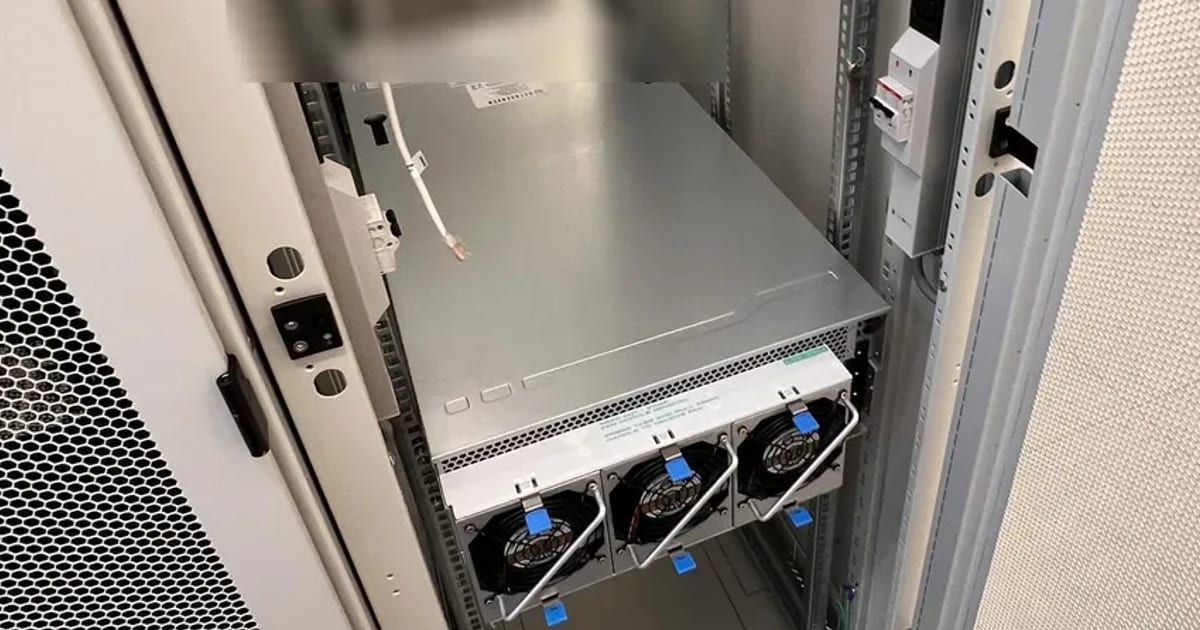
The build is the same 4U dual-socket platform behind our 4U-E10G-GENOAX2 configurator:
| Item | Value |
|---|---|
| GPUs | 8× NVIDIA RTX PRO 6000 Blackwell Server Edition (passive) |
| VRAM per GPU | 97.9 GB reported (96 GB nominal) |
| Total throughput | 935.61 TFLOPS |
| Memory bandwidth | 1396.4 GB/s |
| CPU | Dual AMD EPYC 9004, 512 threads total |
| RAM | 1.5 TB DDR5 ECC RDIMM |
| Storage | NVMe, 6687 MB/s measured |
| PCIe | 5.0 ×16 per GPU, 54.3 GB/s measured |
| CUDA | 13 |
| Reliability | 99.8% |
| Private rental | $1.40 / GPU-hour |
Two of those deserve comment. 99.8% reliability is the number buyers filter on - anything below ~95% and you are effectively invisible for serious rentals. And 6687 MB/s NVMe matters more than people expect: renters pull multi-hundred-gigabyte datasets and model weights, and a slow disk shows up as poor instance reviews even when the GPUs are perfect.
How to compute income - the honest formula
Every "GPU hosting calculator" that promises you a monthly figure is selling something. The real math has four inputs, and only one of them is under your control:
Gross = GPUs × price_per_GPU_hour × 24 × utilization
Net = Gross − electricity − colocation − marketplace fee
- price_per_GPU_hour – set by the market and visible to everyone on Vast.ai; it moves with supply.
- utilization - the share of hours your machine is actually rented. This is the number that decides whether the build pays back, and it depends on your reliability score, price positioning and how in-demand your GPU model is. Nobody can promise you a utilization figure in advance.
- electricity - an 8-GPU RTX PRO 6000 build draws serious power under load. In Bulgaria industrial rates are among the lowest in the EU, which is a structural advantage for hosting here.
- marketplace fee - Vast.ai takes a cut of each rental.
Plug your own numbers into our GPU ROI calculator – it uses weekly median rental rates across providers (GetDeploying open dataset, CC BY 4.0) and computes payback and annual ROI per GPU model, including electricity and depreciation.
What we would tell anyone doing this
- Reliability is earned in weeks, not days. Plan for a ramp-up period where the machine runs and earns little while its score builds. Do not reboot it for cosmetic reasons.
- Do the burn-in before the data center, not in it. We run 72 hours at 100% GPU load before a machine ships. A thermal or PSU problem discovered on colocation costs a site visit; discovered on the bench it costs an afternoon.
- Do not starve the CPU or the disk. The verification config score punishes unbalanced builds, and renters feel it immediately.
- Passive/server-edition cards, not gaming coolers. A rack machine needs front-to-back airflow. We covered this trade-off in detail in RTX 5090 vs RTX PRO 6000.
- Colocation beats the office. An 8-GPU build under sustained load needs redundant power and real cooling.
Where we fit
Aura Digital designs, assembles, burn-in tests and racks machines exactly like this one - and sets them up on Vast.ai/RunPod afterwards. That is GPU hosting and colocation as a service - it works with a machine bought elsewhere too. The NEOXIS server is the first of ours to pass verification; it runs on colocation in Sofia. If you are weighing a build of your own, tell us the workload and we will size it, quote it within 3 working days, and be honest about what it will and will not earn.